 Game Music Maker
Music and sound effects for your game, in minutes
Pick a style and press Compose. Change any note you like, make jump, coin and hit sounds, then export loops that play with no gap. No music skills needed.
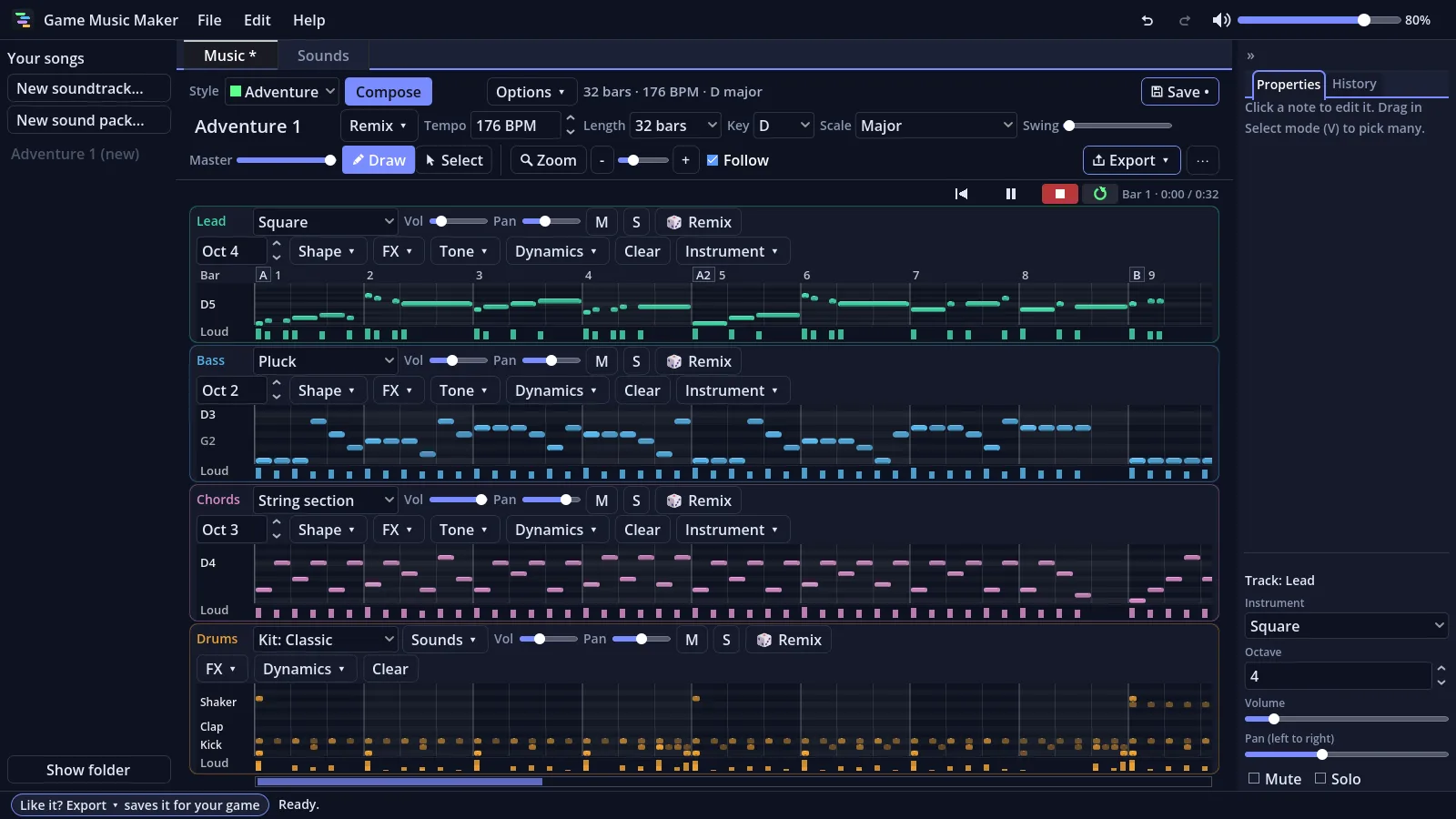
Your first song
- Pick a styleCalm, happy, spooky, adventure and more, grouped by game mood, music style and beat.
- Press ComposeA full song with lead, bass, chords and drums. Press it again for another one.
- Make it yoursDraw, move and delete notes, change instruments, or Remix one track and keep the rest.
- Export.ogg, .wav, .mid or .mp3, looping with no gap, ready for your game.
A whole soundtrack in one click
File ▸ New soundtrack makes Title, Level, Boss, Menu, Win and Game over pieces, all in the same key and style.
- Every song is leveled to the same loudness, so nothing jumps out in your game
- Songs with an intro loop from after the intro, with loop points written beside the file
- Or export the intro and the loop as two files, for engines that can't loop part of a file
- Export all writes every song and sound at once, with a manifest
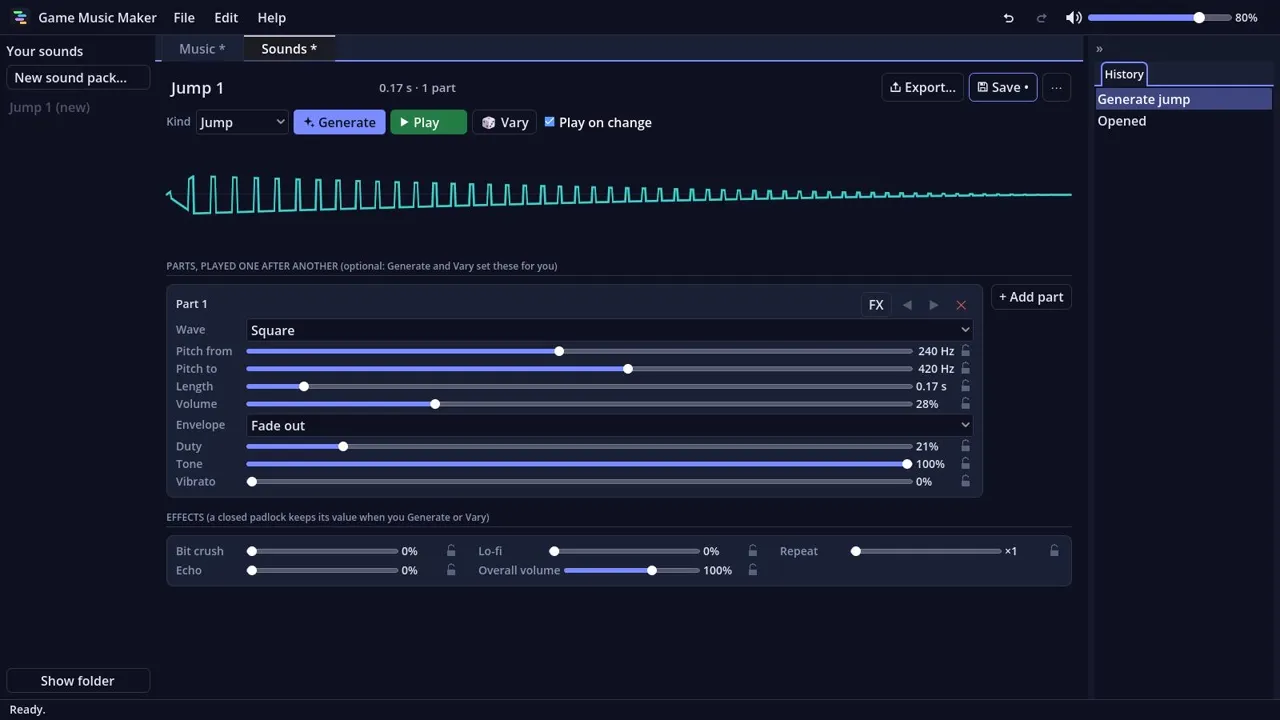
Sound effects, generated and tweakable
Pick a kind (jump, coin, hit, power-up and more) and press Generate until you like one.
- Lock any slider so Generate and Vary leave it alone
- Effects on the whole sound (echo, bit crush, lo-fi) and on each part (reverb, chorus, tremolo and more)
- New sound pack makes 18 staple game sounds in one style: Retro, Soft, Punchy or Crunchy
- Export as .wav or .ogg
Real instruments
Strings, plucks and drum kits next to classic chip waves. Use your own .wav or .ogg as an instrument.
Undo everything
Undo and redo, plus a History panel: click any step to go back to it.
Crash recovery
If the app or your PC crashes, Restore brings back your work from about 30 seconds before.
Works with Voxel Game Maker
Songs and sounds open in Voxel Game Maker's Music Gen and Sound Gen too.
Everything you make is yours
Use your songs and sounds anywhere: games, videos, streams, music releases and apps, free or paid. No credit needed, though a "Made with Game Music Maker" line is always welcome.
You may sell or give away packs of songs and sounds you made. The one thing you may not do is repackage the app's own built-in sounds, demo songs or instrument samples, unchanged, as a pack.
Questions
Do I need to know music?
No. Compose writes the whole song in the style you pick. You can change any note, but you never have to.
Which formats does it export?
Songs: .ogg, .wav, .mid and .mp3. Sounds: .wav and .ogg. Looping songs get a .json beside them with the loop start and end.
What do I need to run it?
Windows 10 or 11 (64-bit), a graphics card with OpenGL 3.3 (almost any from the last ten years) and about 110 MB of disk space.
Mac or Linux?
Not yet. Windows comes first.
Windows says "Windows protected your PC"
That happens with new apps. Click More info, then Run anyway. You only need to do it once.
Coming soon to itch.io
Game Music Maker is in early access testing now. It will be $24.99 on itch.io.